
Your Step‑by‑Step Guide to Mastering Telemedicine for Chronic Conditions
— 7 min read
Welcome to the Future of Your Health: Telemedicine Made Simple
Imagine being able to see your doctor without leaving the comfort of your favorite armchair, while still getting the same personalized attention you would receive in a clinic. That’s the promise of telemedicine, and for anyone living with a chronic condition, it can feel like a lifeline. In 2024, more than three-quarters of adults with long-term illnesses have tried at least one virtual visit, and the numbers keep climbing. Let’s walk through every piece of the puzzle together, so you can turn this technology into a steady partner in your health journey.
Medical Disclaimer: This article is for informational purposes only and does not constitute medical advice. Always consult a qualified healthcare professional before making health decisions.
Why Telemedicine Matters for Chronic Conditions
Telemedicine gives people with long-term illnesses the ability to receive continuous, personalized care without leaving home, which improves outcomes and reduces hospital readmissions. For patients with diabetes, hypertension, or COPD, regular monitoring is essential. A 2022 study by the CDC found that telehealth visits for chronic disease management grew 38% compared with the previous year, and patients who used remote monitoring reported a 15% drop in emergency-room visits. By bringing the clinic into the living room, telemedicine bridges the gap between scheduled appointments and daily life, allowing clinicians to adjust treatment plans in real time.
Why this matters: Think of chronic disease management like tending a garden. In-person visits are the monthly soil tests, but telemedicine lets you check the moisture level every day and water the plants before they wilt. Those small, frequent adjustments keep the garden - your health - thriving.
Key Takeaways
- Telemedicine improves access for patients who have mobility or transportation challenges.
- Remote data can lower emergency visits and hospital stays.
- Continuous virtual contact supports better medication adherence.
Getting Familiar with the Basics of Telemedicine
Before you log in, learn the core vocabulary. A video visit is a live, two-way video call between you and a clinician, similar to a FaceTime conversation but with medical security. Remote monitoring uses devices such as glucometers or blood-pressure cuffs that automatically send readings to the care team. A patient portal is a secure website where you can view test results, message providers, and schedule appointments.
Think of these tools as a toolbox: the video call is the hammer, remote sensors are the screwdriver, and the portal is the workbench where everything is organized. Knowing each tool lets you choose the right one for the task.
According to a 2023 report from the American Telemedicine Association, 72% of adults with chronic conditions have used at least one telehealth service in the past year, showing that the technology is becoming mainstream. If you’re new to the lingo, don’t worry - this guide will keep the jargon at bay and give you plain-English explanations at every turn.
Common Mistake: Assuming “patient portal” and “app” are the same thing. Some providers use a web-based portal, while others rely on a dedicated smartphone app. Double-check which one your clinic recommends.
Preparing Your Home for Virtual Care
A quiet, well-lit space helps you focus during a video visit. Choose a room with minimal background noise - think of it as setting a stage for a performance where the spotlight is on you and your health. Natural light works wonders, but if you’re on a cloudy day, a simple desk lamp placed behind the camera can eliminate shadows.
Reliable internet is the foundation. The FCC states that a broadband speed of 5 Mbps download and 1 Mbps upload is the minimum for clear video. Test your connection with a free speed-test website before the appointment. If you notice lag, try moving closer to the router or using a wired Ethernet cable.
Keep your device charged and within arm’s reach. A simple phone stand or a stack of books can prop up a tablet at eye level, reducing neck strain. Having a notepad, your medication list, and recent lab results nearby mirrors the preparation you would do for an in-person visit.
Pro tip: Place a small lamp behind the camera to avoid shadows and improve video clarity.
Common Mistake: Forgetting to mute background noises (like a running dishwasher) before the call starts. A quick mute-check can save you from awkward interruptions.
Choosing the Right Telehealth Platform
Not every platform fits every need. Look for features that match your condition. If you need frequent blood-pressure uploads, select a system that integrates with FDA-cleared cuffs. For mental-health support, a platform offering secure chat may be a priority.
Insurance coverage can affect out-of-pocket costs. A 2022 survey by the Kaiser Family Foundation found that 54% of plans cover telehealth visits at the same rate as office visits, but only if the platform meets HIPAA standards. Before you commit, confirm that your insurer recognizes the platform you plan to use.
Security is non-negotiable. Verify that the platform uses end-to-end encryption and displays a padlock icon in the browser address bar. A user-friendly interface reduces friction; a platform that requires multiple logins can discourage regular use.
Common Mistake: Selecting a free video-chat app that isn’t HIPAA-compliant. Free apps may be convenient, but they can expose your health data to unnecessary risk.
Collecting and Sharing Your Health Data
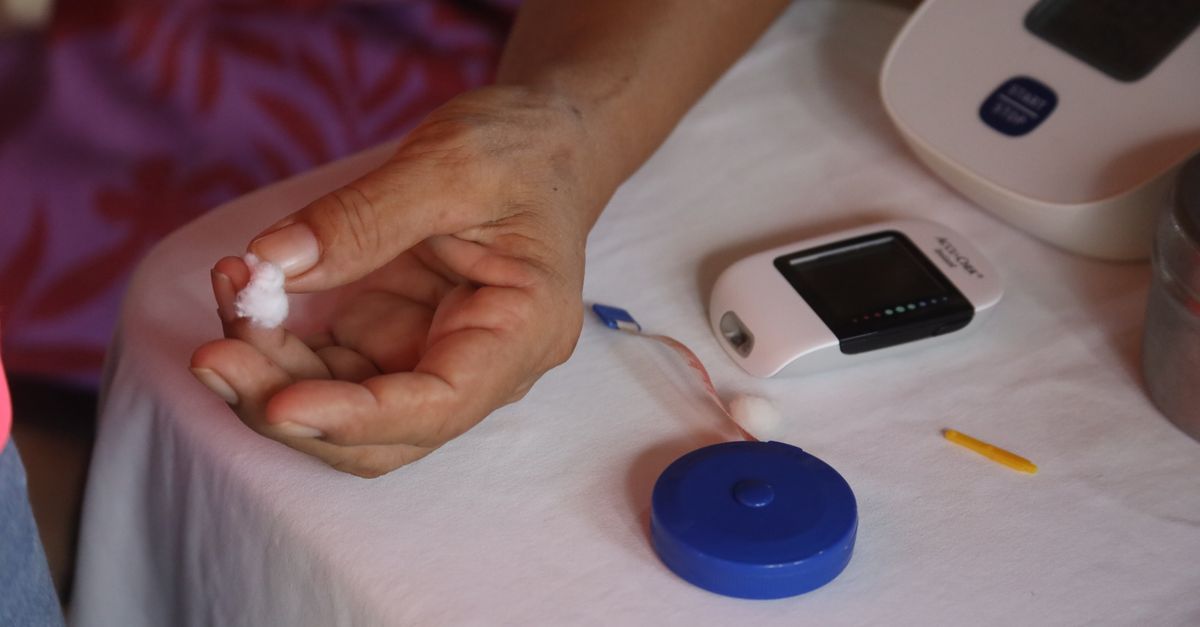
Wearable sensors turn everyday actions into health data. A smartwatch can record heart-rate trends, while a Bluetooth-enabled glucometer sends glucose readings directly to your portal. These devices act like tiny detectives, quietly gathering clues that help your clinician see the bigger picture.
Smartphone apps often include built-in reminders to take medication or log symptoms. For example, the MyChart app lets you upload a photo of a home-test strip, which the clinician can review within minutes.
According to a 2021 study in the Journal of Medical Internet Research, patients who regularly shared remote-monitoring data experienced a 12% improvement in blood-pressure control compared with those who reported values only during office visits.
Quick checklist:
- Sync device before the appointment.
- Verify that the latest readings are visible in the portal.
- Note any unusual trends to discuss with your provider.
Common Mistake: Waiting until the end of the week to upload a batch of readings. Real-time uploads give clinicians the freshest information and prevent “data lag” that can mask early warning signs.
Communicating Effectively with Your Care Team
Clear communication speeds up treatment adjustments. Begin each video visit with a brief summary: "I’ve taken my meds as prescribed, my blood-sugar averaged 110 mg/dL, and I felt short-of-breath yesterday." This snapshot acts like a headline for your health story, letting the clinician jump straight to the details that matter.
Use the patient portal’s messaging feature for follow-up questions. Keep messages short - think of a text message: one to two sentences that state the issue and any relevant numbers.
A 2020 analysis by the Mayo Clinic showed that patients who sent concise, data-rich messages received clinician responses 30% faster than those who wrote long narratives.
Effective script: "Morning glucose: 112 mg/dL; night reading: 98 mg/dL. No dizziness. Plan?"
Common Mistake: Overloading a single message with unrelated concerns. Split topics into separate messages so each can be addressed promptly.
Staying Motivated and Engaged Over Time
Goal-setting turns chronic care into a game you can win. Set SMART goals - Specific, Measurable, Achievable, Relevant, Time-bound. For instance, "Walk 20 minutes briskly, five days a week, for the next month." Each small win builds momentum, just like adding one more puzzle piece brings the picture into view.
Reminders built into telehealth apps help you stay on track. A 2022 review in Telemedicine and e-Health reported that patients who received weekly push notifications were 27% more likely to meet their activity targets.
Virtual support groups add community. Platforms like Facebook Groups or disease-specific forums let you share successes and troubleshoot setbacks with peers who understand your daily challenges.
Common Mistake: Setting vague goals like "be healthier." Without measurable targets, progress is hard to see and motivation can fade.
Protecting Your Privacy and Security
Strong passwords are the first line of defense. Use a phrase of at least 12 characters, mixing letters, numbers, and symbols. Enable two-factor authentication whenever the platform offers it.
Keep your device software up to date. Updates often patch security holes that hackers could exploit. A 2021 report by the National Cybersecurity Center warned that 60% of telehealth breaches involved outdated operating systems.
Before each session, read the consent form that explains how your data will be stored and shared. Knowing who can see your information builds trust and reduces anxiety.
Warning: Never share your login credentials with anyone, even a family member.
Common Mistake: Using the same password for your email, banking, and telehealth accounts. A breach in one service can cascade to all others.
Overcoming Common Barriers and Troubleshooting
Connectivity hiccups happen. If video freezes, switch to a phone call using the same portal’s audio-only option. Keep a backup device - like an older smartphone - charged and ready.
Insurance questions can stall care. Contact your insurer’s telehealth hotline before the appointment to confirm coverage and any required codes.
For platform-specific errors, most services have a 24-hour live-chat support line. Document the error code and time of occurrence; this information speeds up resolution.
"Patients who resolved technical issues within 24 hours were 22% more likely to continue using telehealth services," says a 2023 Health Affairs brief.
Common Mistake: Ignoring an error message because it looks technical. Capture a screenshot and send it to support - what seems minor can be the key to a quick fix.
Next Steps: Building a Sustainable Telehealth Routine
Integrate telemedicine into your weekly schedule. Block a consistent time slot - perhaps every Tuesday at 10 a.m. - just as you would a regular doctor’s appointment. Consistency turns a novel tool into a habit.
Review your health data monthly. Use the portal’s graphs to spot trends, then discuss them with your clinician during the next video visit.
Know where to find extra resources: local health department webinars, disease-specific NGOs, and your insurer’s education library all offer free tools to reinforce self-management.
Action plan:
- Set a recurring telehealth appointment.
- Sync all monitoring devices.
- Review portal data before each visit.
- Adjust goals based on clinician feedback.
Frequently Asked Questions
How often should I schedule telehealth visits for a chronic condition?
Frequency varies by condition, but most specialists recommend a virtual check-in every 1-3 months, supplemented by weekly data uploads from remote monitors.
Can I use my personal smartphone for telemedicine?
Yes, as long as the device runs a recent operating system, has a camera, and the telehealth app meets HIPAA security standards.
What if my internet connection is unreliable?
Switch to audio-only mode, use a wired Ethernet connection if possible, or schedule the visit from a location with stronger Wi-Fi, such as a library or community center.
Are telemedicine visits covered by Medicare?
Medicare covers many telehealth services, especially when the provider is enrolled in the program and the visit follows CMS billing guidelines.
How do I keep my health data private?
Use strong, unique passwords, enable two-factor authentication, keep software updated, and only share data through the secure patient portal provided by your provider.
What



